Smooth out any animation
Pick Back, Elastic or Bounce in the Curve type menu and click Apply. Flexile writes the overshoot as keyframes on every move you selected.
- Pick a curve type, then Apply
100+ transitions, easing presets, a text engine, beat sync and subtitles in one After Effects panel.
Built-in tutorials check your work as you go. Free during beta: no card, no trial.
Less wandering, more rendering.
Flexile keeps everything in one place so you stay in flow from first click to export.
Pick Back, Elastic or Bounce, or one of 35 presets, and Apply. Flexile writes real keyframes. Smart morph turns one shape into the next without twisting.
Smooth transitions keep the flow. Use bold effects to share a story people will love to watch.
Learn more about transitionsSmall helpers can save big time. Flexile has quick tools for bounce, wiggle, overshoot, and many more. They work right away with smart defaults. Make your own and save them in the cloud, or ask your AI to create and edit them for you through Flexile’s MCP.
Learn more about Flexile toolsCreate complex text animations in no time. Flexile's unique text engine is easy to use. You get simple tools to bring almost any typography to life.
Learn more about text animationFlexile now ships with an MCP server. Connect Claude, the ChatGPT desktop app, Cursor or any other MCP app, and it works right in your After Effects project with Flexile’s own easing, text engine, tools and audio. It reads the comp, builds the motion, checks it and looks at the result. You describe the shot; you don’t click through a single panel.
Set up in the panel’s AI page: one click for Claude Desktop and Cursor, one copied command or config for the rest.
Text, Animation, Tools and Audio work over MCP. The Elements panel isn’t supported yet, so add transitions from the Elements library yourself for now.
Illustration: the requests, tool names and results match what Flexile’s MCP does. The preview is simplified.
The new Audio page listens to the song or voice-over in your comp. It turns the beat into keyframes anything can follow, and turns speech, or lyrics you paste in, into styled subtitle layers, word-timed for karaoke. It all runs on your computer.
Works fully over MCP
Ask your AI and it runs the analysis, writes the keyframes and creates the captions itself. For captions, click Download once in Audio > Subtitles first, because your AI can’t download speech models.
Flexile’s Audio page, simplified
Adds slider “Kick” and “Kick hit” (1,384 keyframes, 116 markers) to null “Audio · SONG.mp3”.
Simplified for this page. The real panel has many more options: bands you drag to any range, fine-tuning, 30+ languages and five speech models, caption layouts, styles copied from your own text layer, word colours and more.
h = thisComp.layer("Audio · SONG.mp3").effect("Kick hit")("Slider");
seedRandom(timeToFrames(time), true);
value + [random(-1, 1), random(-1, 1)] * h * 0.2“Make the logo shake on every kick of the song.”
Or in the panel: Audio → Beat → Create keyframes
Speech stays on your computer. Flexile uses a local Whisper model that downloads once, only when you click Download (32 MB to 574 MB). Subtitles need a Mac or a 64-bit Windows PC; beat keyframes work wherever Flexile runs.
Demo audio is a song and a voice-over made for Flexile. The spectrum, beats, keys and word times come from Flexile’s own analysis of these files.
Flexile teaches itself. The interactive tutorials run in the panel, in the same project you see in the videos, one step at a time, and the panel checks your work as you go. You get full access to that project. Nothing below took more than a few minutes.
Pick Back, Elastic or Bounce in the Curve type menu and click Apply. Flexile writes the overshoot as keyframes on every move you selected.
Drop a transition from the Elements library straight onto the timeline, then stretch it in time until it lands on the beat you want.
Animate the IN or the OUT of a layer straight from its start and end, or build keyframe-based custom groups when the piece needs something more sophisticated. Both stay editable afterwards.
The tools panel keeps the small jobs one click away, so you stop hunting through menus in the middle of an edit.
Every tutorial above runs inside the panel, in the project from the videos, and you get full access to that project.
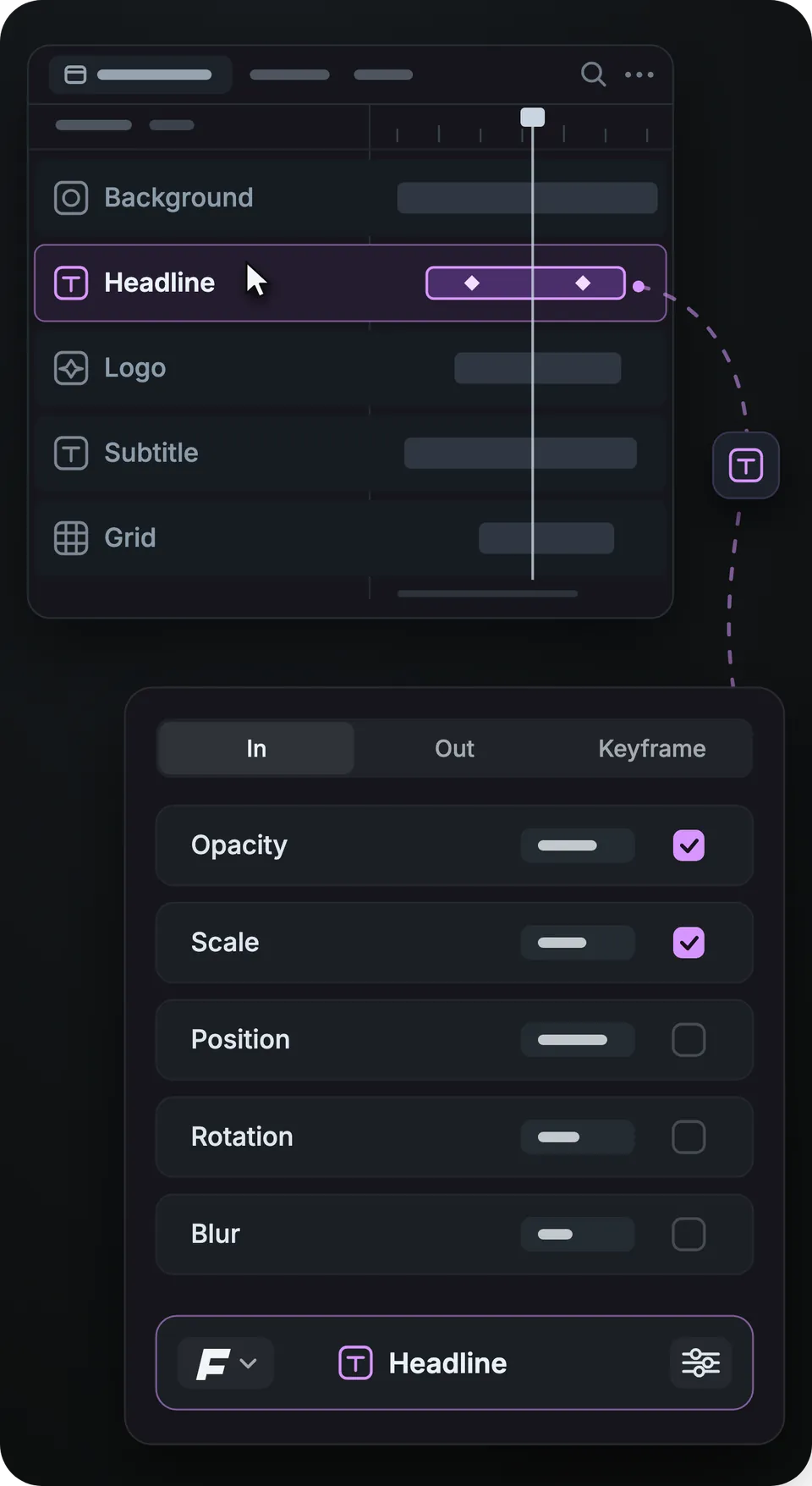
Flexile is under active development, so the panel may not look exactly like these screenshots. The features are all there.
Flexile puts everything in one place so you can create right away. Need a cut? Use transitions. Need a logo move? Use the curve. Need kinetic type? Use text animation. It's fast, small, and kept up to date.
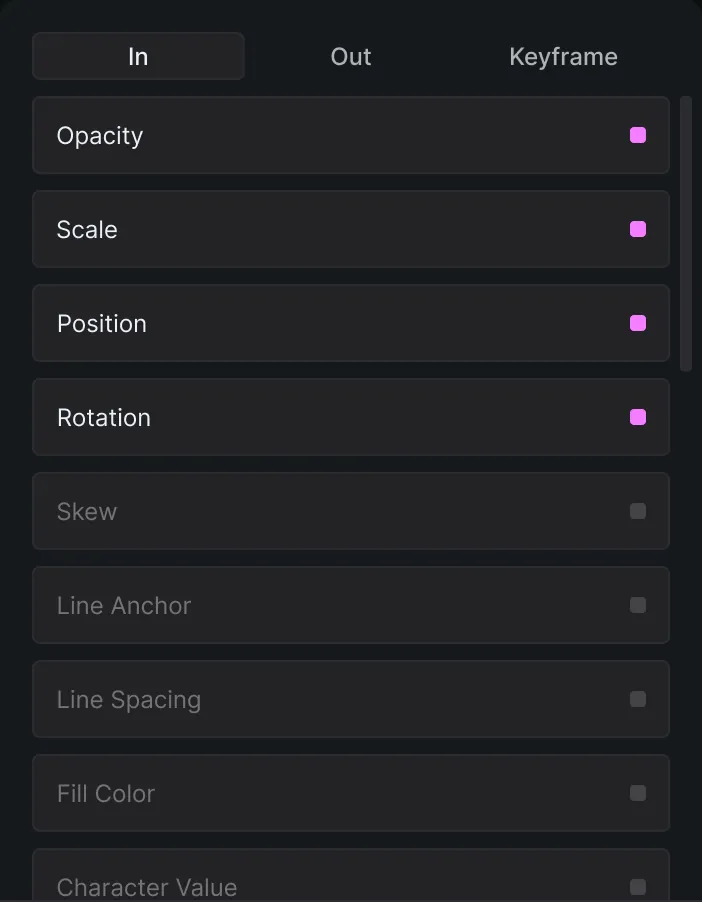
Keyframe tab
Make sure to select the text layer first to unlock the animation tab.
1 / 4
Flexile is simple for speed and deep for power. Build grouped text moves with keyframes, shape an ease by its speed, and write tools in the code editor with a live console. Flexile 0.19.0 shipped on 27 October 2026.
Flexile is built by experienced designers and is in active development. Questions and bug reports go to contact@flexile.io.
Checked on 28 October 2026 against Flexile 0.19.0, released on 27 October 2026.
Supported on Adobe After Effects 2025 or newer, with any After Effects license, including the trial.
macOS (Apple silicon and Intel) and Windows.
Free for everybody with an account during the beta, with every feature unlocked, no card and no trial. Paid plans will be announced in advance on the pricing page and by email.
Two computers, one person per account, commercial use allowed during the free period.
The easing plugin has Back, Elastic and Bounce curve types, 35 presets in 7 groups, Edit speed and Stagger for the keyframes you select.
Smart morph morphs shape layers and mask paths without twisting, in one Apply.
The text animation plugin has 15 effects in In, Out and Keyframes modes, applied by characters, words or lines.
100+ free transitions and effects during the beta, in an Elements pack of about 150 MB that downloads after you sign in.
12 built-in tools, including bounce, wiggle, overshoot and flicker rigs, plus your own Script or Expression tools synced to your account.
Beat sync writes keyframes for a band (Auto, Kick, Bass, Snare, Hi-hat, Vocals, Full or your own range) from clips up to 20 minutes long.
Auto subtitles use a local Whisper model that runs on your computer. Pick one of five models (32 MB to 574 MB) and one of 32 languages or auto-detect, and export .srt or .vtt files.
A Mac (an Intel Mac needs AVX2, 2013 or newer) or a Windows PC with a 64-bit Intel or AMD processor, SSE4.2 and the Microsoft Visual C++ runtime. Windows on ARM cannot run subtitles.
The After Effects MCP server ships inside Flexile. Claude Desktop and Cursor connect in one click, and Claude Code, ChatGPT desktop, Codex, VS Code, Zed and Gemini CLI connect with a setup you copy from the panel.
One manual step. You download the extension ZIP from your account and copy its folder into Adobe’s extensions folder, and the panel installs its plugin and the Elements pack itself. The installation guide covers macOS and Windows. Speech models download only when you click Download.
Comparing plugins? Read our comparison of Animation Composer alternatives and our list of the best free After Effects plugins. Both posts disclose that Flexile is our product.
Working without a plugin? Our tutorials show how to ease keyframes in After Effects with Easy Ease and the Graph Editor, and how to animate text word by word or as a typewriter with a Range Selector.
Yes, Flexile is free for everybody with an account during the beta. Every feature is unlocked, and there is no card and no trial. It stays free until paid plans launch, and we will announce the date and the prices in advance on the pricing page and by email. Nothing is charged automatically: you keep your account and your saved tools, and you choose a plan then.
Flexile supports Adobe After Effects 2025 or newer. It works with any After Effects license, including the trial. After you install the extension, restart After Effects, open Window > Extensions > Flexile for AE and sign in with your free account. The Elements pack then downloads in the background, with no restart.
Yes, Flexile runs on macOS, on Apple silicon and Intel Macs, and on Windows. On Windows, installing the required Flexile Events plugin asks once for administrator approval. Subtitles have extra requirements: Intel Macs need AVX2 (2013 or newer), and Windows PCs need a 64-bit Intel or AMD processor, SSE4.2 and the Microsoft Visual C++ runtime. Beat keyframes work wherever Flexile runs.
Yes, you can use Flexile in commercial projects, because the free period has no commercial restriction. You can use it on two computers, but only one person may use the account, so each person on a team needs their own free account. Your custom tools sync to your account, so they are there on both computers.
The MCP server lets an AI app such as Claude Desktop, Claude Code, ChatGPT desktop, Codex or Cursor work in After Effects through the Flexile panel. It ships inside the extension and runs on your computer, with nothing extra to install. The AI reads your comp, uses Flexile’s easing, text engine, tools and Audio page, and checks its own motion. Every call is one undo step, and the Allow AI assistants switch turns it off.
No, Flexile for After Effects has no connection to flexile.com, the site of an unrelated company. Flexile is an Adobe After Effects extension, and its website is flexile.io. You can reach us at contact@flexile.io with questions, bug reports or privacy requests.
Write to us at contact@flexile.io.
Every feature unlocked while Flexile is in beta. No card, no trial.
macOS and Windows