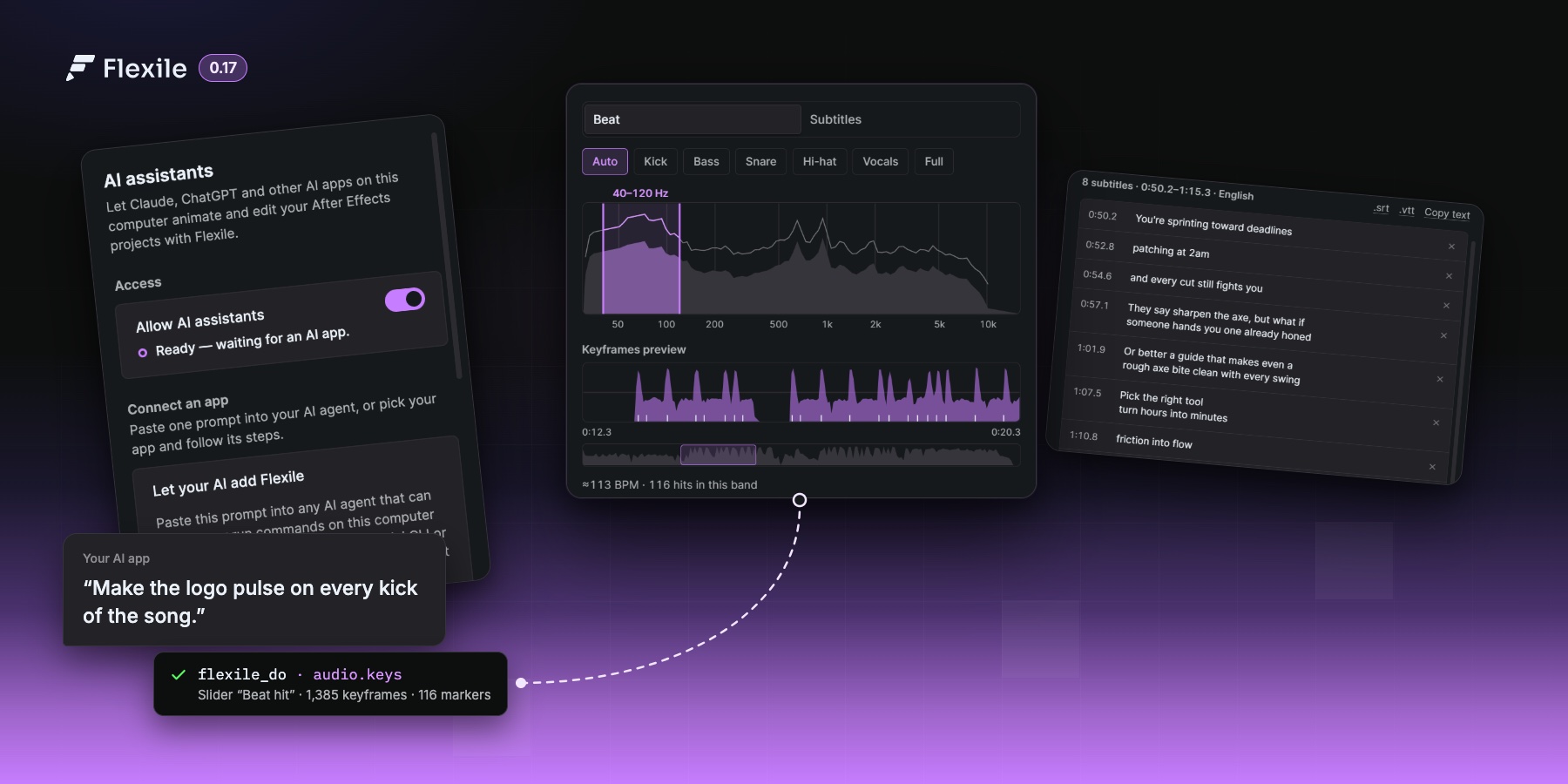
AI assistants, AI-made tools and the new Audio page
Your AI app can now drive After Effects through Flexile’s MCP server and write your custom tools. The new Audio page turns a song into beat keyframes and speech or lyrics into subtitles and karaoke.
Flexile 0.17.0 is out. The panel installs it on its own after a short countdown. It brings three things: an MCP server so your AI app can work in After Effects, custom tools your AI can write for you, and a new Audio page.
Your AI can use Flexile
Flexile now ships with an MCP server. Connect Claude, ChatGPT, Cursor or any other MCP app, and it animates, captions and checks your comps with Flexile’s own engines. You describe the shot; you don’t have to click through the panels.
- A new AI page in the panel: one click connects Claude Desktop or Cursor. Claude Code, Codex, ChatGPT desktop, VS Code, Zed, Gemini CLI and other MCP apps connect with a copied command or config, or a set-up prompt your agent runs itself.
- The AI reads the comp before it changes anything, uses Flexile’s easing curves, text effects, quick tools and the Audio page, checks its own motion (safe area, contrast, easing, timing) and looks at a contact sheet of the result.
- Every Flexile call is one undo step, and a notice in the panel shows what the AI is doing.
- Allow AI assistants is on by default. Switch it off on the AI page or in Settings, and AI apps can’t reach After Effects.
- Not available over MCP yet: the Elements panel, Learn and Settings.
Set-up for every app and prompts to try: Use Flexile with your AI assistant.
Tools your AI writes
Ask for a tool and the AI saves it as a Script or Expression tool in Tools > Cloud Tools, synced to your account like the ones you make yourself. It can also read, rename, edit, run and delete your own tools. Built-in tools stay read-only, and code is checked before it is saved, so broken code is refused instead of saved.
The Audio page
Beat keyframes
- Select a song, a voice-over or a video layer, or use the whole comp mix. Pick a band: Auto, Kick, Bass, Snare, Hi-hat, Vocals, Full, or drag your own range on the live spectrum.
- Flexile writes one 0–100 % keyframe per frame to a slider on an
Audio · <layer>null, a hit slider that jumps to 100 on each hit, a marker per hit and the BPM when the tempo is steady. - The preview shows exactly what will be written. Pick-whip any property to the slider or paste the expression Flexile gives you. One undo step removes it all.
Subtitles and karaoke
- Transcribe speech with a Whisper model that runs on your computer, or paste your lyrics or script and Flexile only times your words.
- Five models, from Tiny (32 MB) to Large v3 Turbo (574 MB, best for songs). Nothing downloads until you click Download, and models update only when you click Update.
- Review and edit every subtitle, export .srt or .vtt, then create one text layer per subtitle, styled from your own base text layer or a preset: Clean, Outline, Bold yellow or Lower third.
- Karaoke: highlight the word being sung, and give chosen words their own colour.
- Auto-detects the language or lets you pick one of 30+. Works on macOS (Intel and Apple silicon) and 64-bit Windows.
Your AI can do all of this over MCP: analyse the song, write the keyframes, link them and create the captions.
Also in this release
- Settings is redesigned and works from 240 to 700 px wide. A new Speech models section shows the speech engine and models, with updates and delete.
- Errors from After Effects during a panel action now show in the panel instead of a native alert that blocked After Effects.
- Text IN animations without overshoot now start exactly at the layer’s in point.
Known limits
- The Elements panel, Learn and Settings are not available over MCP yet.
- Subtitles need a Mac or a 64-bit Windows PC; Intel Macs need AVX2 (2013 or newer). Beat keyframes work wherever Flexile runs.
- Audio clips longer than 20 minutes are not supported yet.
- The AI can’t download speech models; click Download once in Audio > Subtitles.