Auto subtitles and captions in After Effects
Flexile turns speech or sung lyrics into subtitle text layers, right in After Effects. A Whisper model transcribes on your computer, so your audio is never uploaded.
Five speech models, 32 languages plus auto-detect, and .srt or .vtt export. Free during beta on macOS and Windows, no card needed.
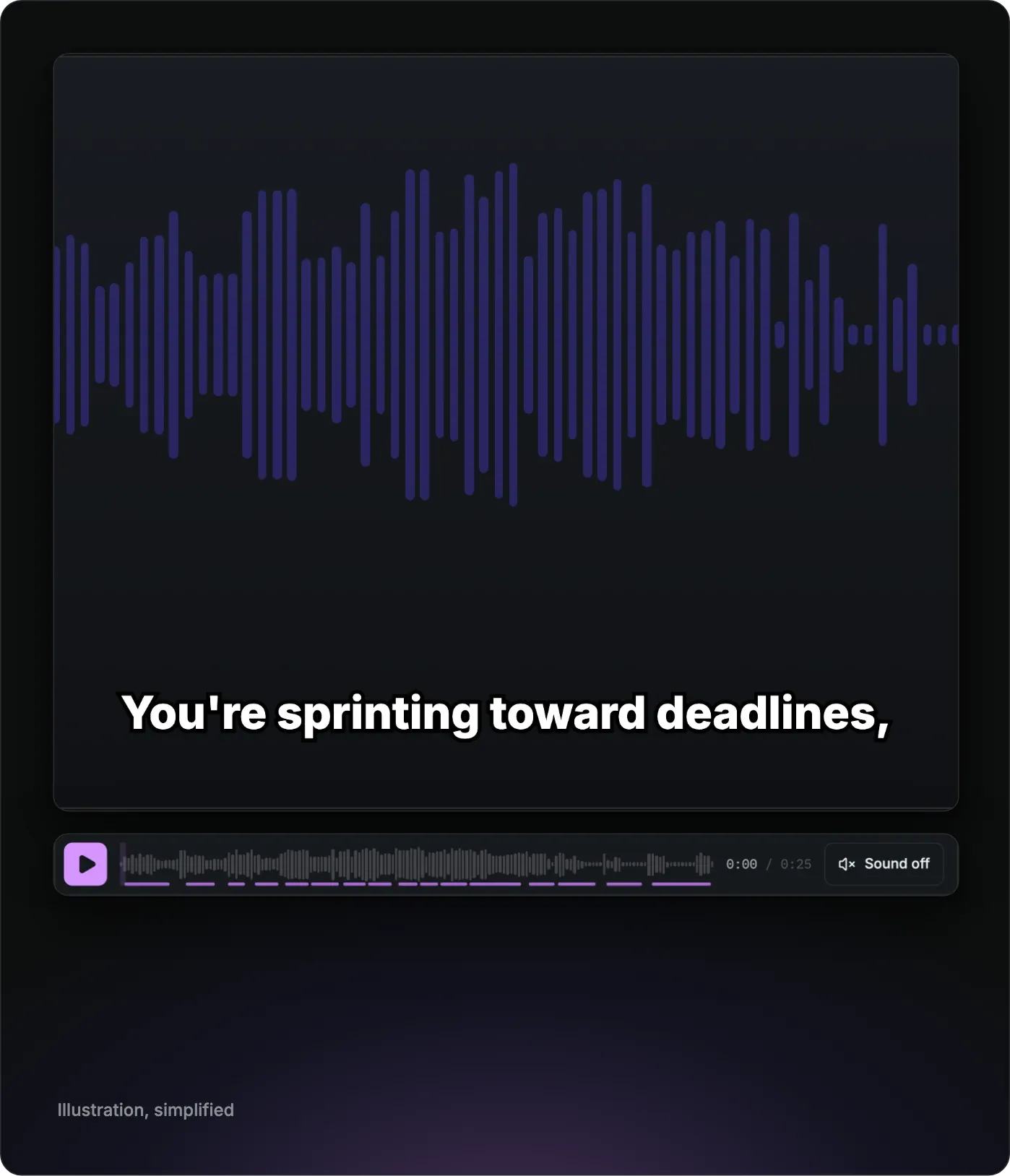
How do you add auto subtitles in After Effects?
After Effects has no built-in speech-to-text. Adobe documents Speech to Text as a Premiere Pro feature, with 18 languages in Adobe’s table. Flexile adds it to After Effects as the Subtitles tab on the Audio page of the Flexile panel:
- Open Audio > Subtitles and select the layer with the speech or singing (a voice-over, a song or a video), or use the whole comp mix.
- Pick a model and a language, or leave the language on Auto-detect. The first time, click Download: the Small model is 190 MB and the speech engine comes with it.
- Click Transcribe.
- Read the review list and edit or remove any caption.
- Click Create subtitle layers. You get one text layer per subtitle, and one undo step removes them all.
Transcription runs on your computer
Flexile runs whisper.cpp, an open-source (MIT) C/C++ implementation of the Whisper speech model, as a separate process on your computer. There is no Python and no separate installer, and you need no API key or speech service account. Your audio is never uploaded.
The speech engine and the models download from Flexile’s servers only when you click Download, and update only when you click Update. The panel’s automatic updates never install them. Downloads resume after an interruption and are checked against their published size and SHA-256 hash.
Our guide to local Whisper subtitles explains the engine and the models in more depth.
Five models, from 32 MB to 574 MB
- Tiny, 32 MB: fastest, rough
- Base, 60 MB: fast
- Small, 190 MB: good for speech, and the one offered first
- Medium, 539 MB: better with accents
- Large v3 Turbo, 574 MB: best for songs
The first download adds the speech engine (about 3.5 MB). After that, the largest model you have installed is the default. Settings > Speech models lists your models with their size and lets you delete them.
Transcribe speech, or time your own lyrics
Flexile transcribes what it hears, speech or singing. To catch Whisper’s known mistakes on music, Flexile drops words timed after the end of the audio and cuts a phrase of one to three words repeated more than four times down to four.
When you already have the words, switch on I have the lyrics or script, then paste the text or load a text file. Flexile only times your words: they stay exactly as written, and each line becomes one subtitle.
Flexile matches your words to the words it hears and gives any word it misses a time between its neighbours. On our demo song, Large v3 Turbo aligned 51 of the 53 lyric words.
32 languages plus auto-detect
Auto-detect listens to the first 30 seconds. For songs, pick the language yourself. The picker lists English, Polish, German, Spanish, French, Italian, Portuguese, Dutch, Ukrainian, Russian, Czech, Slovak, Swedish, Danish, Norwegian, Finnish, Turkish, Greek, Hungarian, Romanian, Bulgarian, Croatian, Serbian, Japanese, Korean, Chinese, Arabic, Hebrew, Hindi, Indonesian, Vietnamese and Thai.
Split, review and export captions
Choose how the words are split into captions:
- Your lines: each line of your lyrics or script is one subtitle (only when you time your own text, where it is the default)
- Length: split by characters per line and lines per subtitle (the default when Flexile transcribes the words)
- Phrases: 2 to 4 words each
- Words: one word each
A line holds up to 42 characters by default (you can set 8 to 120), with 2 lines per subtitle (1 to 4).
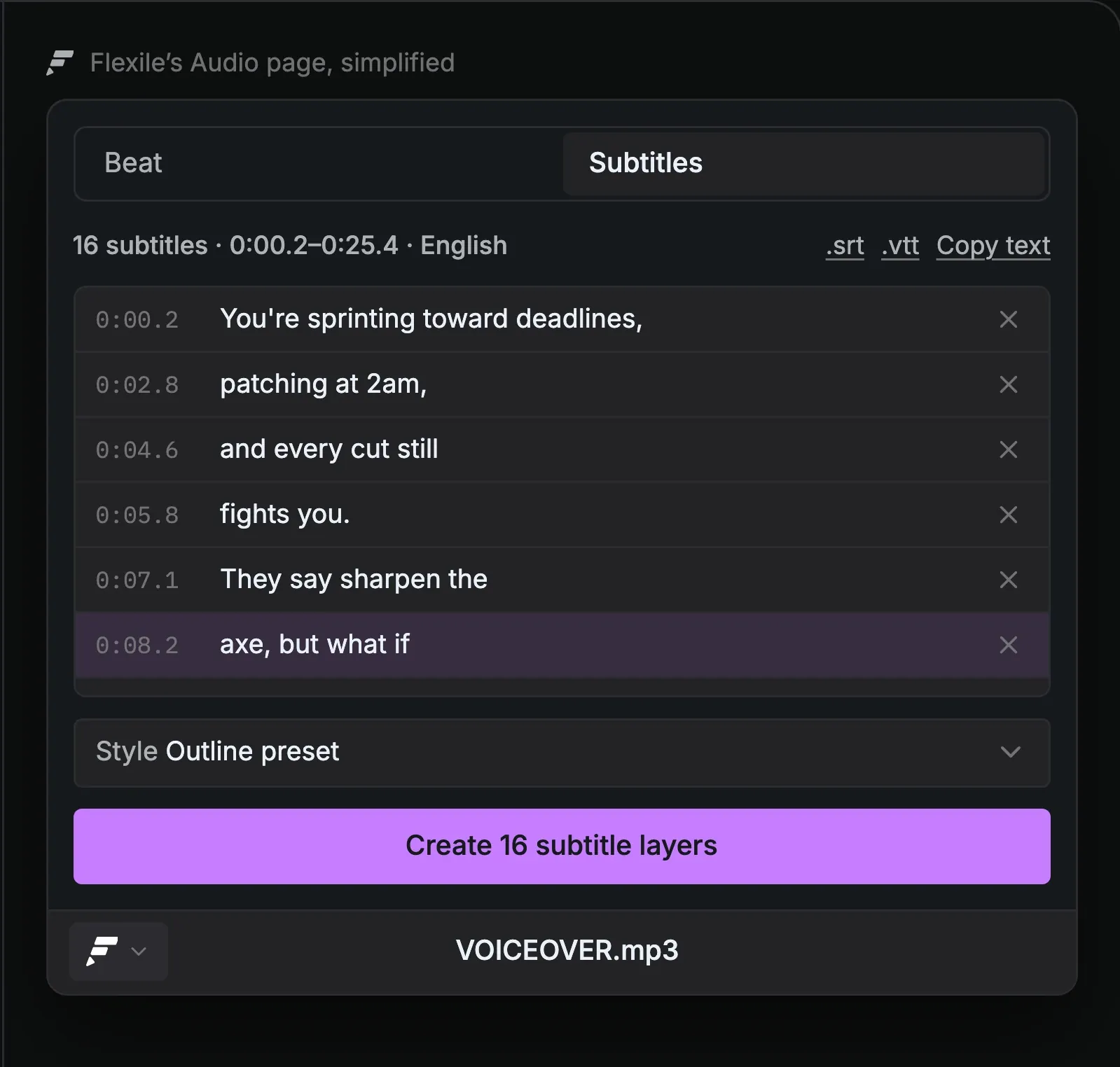
Edit or remove captions in the review list before any layer exists, and save them as an .srt or .vtt file if you need one.
Replace earlier subtitles is on by default: run it again and Flexile deletes the subtitle layers it made before in that comp.
Style subtitles from your own text layer
Select a text layer before you create the subtitles, and every subtitle copies its font, size, colour, position, effects and Flexile IN/OUT animation. Flexile hides that base layer and keeps it as the template. A layer with keyframed Source Text can’t be the base.
No base layer? Pick one of four presets: Clean, Outline (the default), Bold yellow or Lower third. Flexile adds it as a hidden Subtitle style layer in the comp.
Karaoke highlight and word colours
Switch on Highlight the word being said and each word takes the highlight colour while it is spoken or sung, yellow (#ffd60a) by default. Flexile builds it from a native text animator with a Fill Color property and an Expression selector based on words.
Word colours give every occurrence of a word or phrase you choose its own colour. The full walkthrough is in our guide to karaoke text.
Ask your AI to caption the comp
With an AI app connected to Flexile over MCP, you can ask your AI to transcribe the audio, style the subtitles and create the layers:
Add subtitles to the voice-over in the Outline style.
Your AI can’t download speech models, so click Download once in Audio > Subtitles first.
How Flexile compares with other auto caption plugins
Flexile is our product. The details below come from each vendor’s page, checked on 25 September 2026.
- Voice2Captions: sends your audio to Deepgram, Groq or OpenAI with your own API key. $19.98 for a single-user licence.
- Flexile: transcribes on your computer with no API key, no metered minutes and no subscription while it is free during beta. After Effects 2025 or newer.
- AutoCaption: transcribes through the vendor’s servers or offline on your machine, with no API key needed. $8 a month, $80 a year or $150 perpetual.
- Captioneer: transcribes locally. $15 a month or $150 one-time.
- AEJuice Auto Captions: 10 free minutes a month, then paid plans metered in minutes.
AutoCaption, Captioneer and Voice2Captions support After Effects versions older than 2025, and Captioneer and Voice2Captions also run in Premiere Pro.
What you need
Adobe After Effects 2025 or newer
Mac: Apple silicon, or an Intel Mac with AVX2 (2013 or newer)
Windows: a 64-bit Intel or AMD processor with SSE4.2 and the Microsoft Visual C++ runtime (Windows on ARM is not supported)
Audio clips up to 20 minutes
Disk space for the models you download: 32 MB to 574 MB each
A free Flexile account and the extension, installed with the installation guide
Flexile is free for everybody with an account during the beta. Start for free.
Do I need an API key or a transcription subscription?
No. The speech engine runs locally, so there is no API key, speech service account or per-minute fee. Flexile itself is free during beta.
Does it work on Windows on ARM?
No. Subtitles need a Mac with Apple silicon or an Intel Mac with AVX2, or a Windows PC with a 64-bit Intel or AMD processor, SSE4.2 and the Microsoft Visual C++ runtime. Beat keyframes on the same Audio page work on any computer that runs Flexile.
Can I use it for client work?
Yes. Flexile is free for everybody with an account during the beta, and the free period has no commercial restriction. Paid plans will be announced in advance on the pricing page and by email.
Still have questions?
Write to us at contact@flexile.io.
More in Flexile
The same panel also does this, free during beta.
- Easing
Ease every selected keyframe at once: 26 presets, Peak and Smart modes.
- Text animation
Animate text by character, word or line with 15 effects.
- Transitions
Preview a transition, double-click to insert it and retime it to the cut.
- Beat sync
Turn the kick, the bass or any frequency band into keyframes.
- MCP server for AI apps
Let Claude, ChatGPT desktop or Cursor work in your After Effects project.
Free for everybody during beta
Every feature unlocked while Flexile is in beta, subtitles included. No card, no trial.
After Effects 2025 or newer. Mac, or Windows on 64-bit Intel or AMD.