Best AI plugins for After Effects (2026)
AI plugins for After Effects that add an AI assistant, let Claude and Cursor work in your comps, generate images and video, or make depth maps and captions. Prices and versions from each official page, September 2026.
By Filip Miernik
Comparison
7 min read
The AI plugins for After Effects in this list do one of five jobs: they let an AI app such as Claude or Cursor work in your comps over MCP, put an AI assistant inside After Effects, generate images and video, work on your footage (depth maps, enhancement), or turn speech into captions. Each entry lists the price, supported After Effects versions and what the tool needs besides the plugin, where the official page states them.
Disclosure: Flexile is our product. Its entry is in the MCP section, marked as ours. We have not tested these tools side by side, so nothing here is ranked. Every price and version comes from the vendor’s official page or README, checked on 25 September 2026. Prices are in US dollars.
In this list
- MCP servers, Flexile included
- AI assistants inside After Effects
- Images and video
- Depth maps and enhancement
- Captions from speech
Which AI plugins let your own AI app work in After Effects?
An MCP server does this. MCP (Model Context Protocol) lets an AI app call tools that a server offers, here tools that act in After Effects. A server on your computer works directly with Claude Desktop, Claude Code, Codex and Cursor.
Open-source MCP servers on GitHub
Community After Effects MCP servers on GitHub are MIT-licensed. Most need Node.js, a bridge panel or script inside After Effects, and the preference Allow Scripts to Write Files and Access Network turned on. Two examples, from their READMEs:
- Dakkshin/after-effects-mcp: After Effects 2022 or later, Node.js 14 or later, and a bridge panel you open in After Effects.
- kumoproductions/mcp-aftereffects: After Effects 2024 to 2026 and Node.js 24 or later. Nothing is installed inside After Effects. On macOS it needs Automation permission.
Flexile (our product)
Flexile is an After Effects extension for transitions, easing, text animation and audio. Since version 0.17.0 (24 September 2026) it ships with an MCP server. Your AI app starts the server on your computer, where it talks to the Flexile panel in After Effects. It runs on the Node.js that Flexile already ships, so there is nothing extra to install.
- Price (as of September 2026): Free for everybody with an account during the beta. No card, no trial. Paid plans will be announced in advance.
- After Effects: Supported: After Effects 2025 or newer, on macOS and Windows
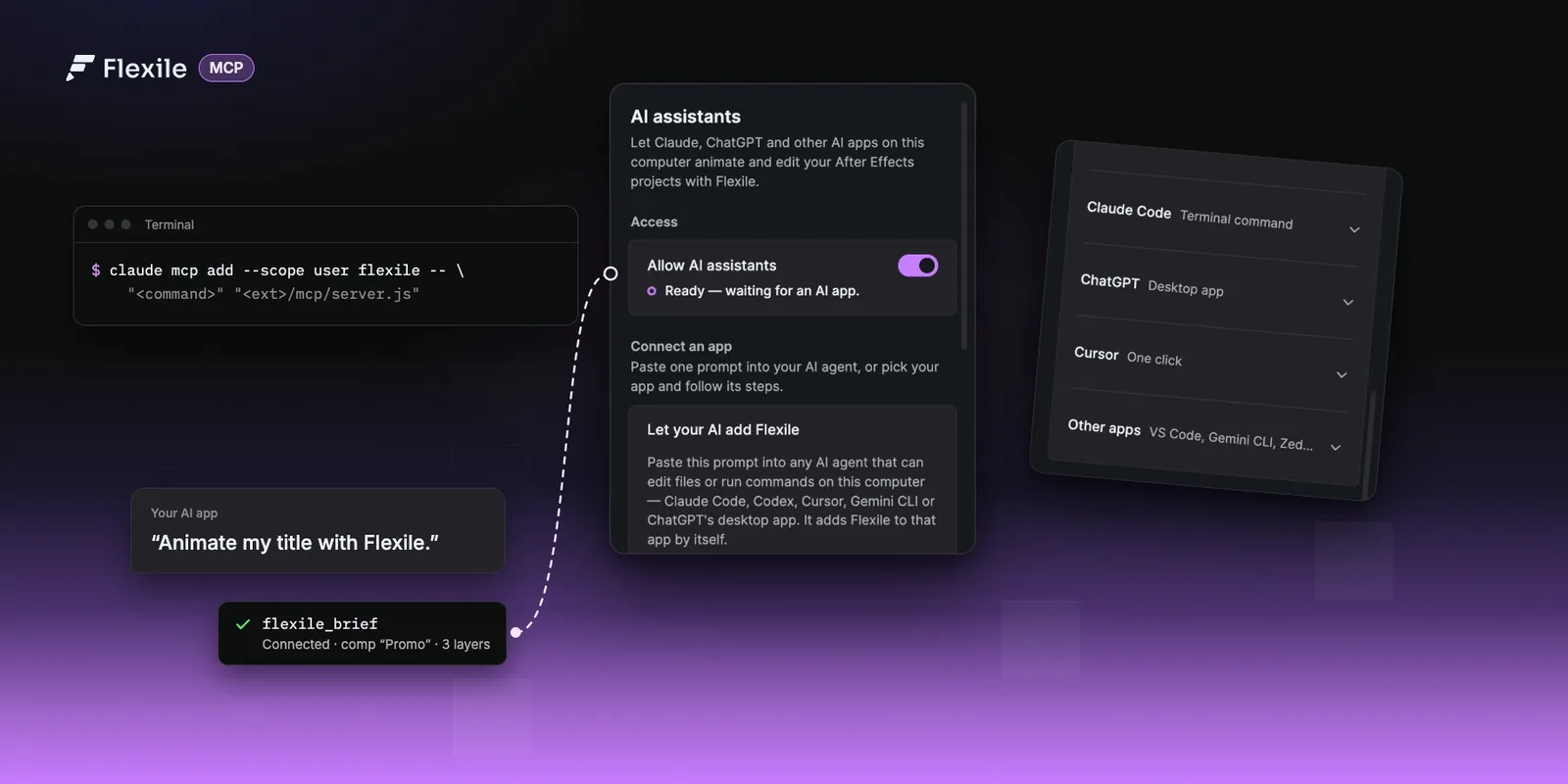
- AI apps: One click for Claude Desktop and Cursor. Copied set-up for Claude Code, the ChatGPT desktop app, Codex CLI, VS Code, Zed, Gemini CLI, Cline, LM Studio and Windsurf. ChatGPT in a web browser cannot connect.
- What the AI can use: 13 MCP tools. Through them the AI uses the Text, Animation, Tools and Audio pages, including 37 named easing curves and 15 text effects. The AI can also write, save and run your own Script or Expression tools. Elements, Learn and Settings are out of its reach.
- Control: Every Flexile call is one undo step. Switch off Allow AI assistants (on by default) and AI apps cannot reach After Effects.
- Data: The server runs locally. Your AI app sends what the AI reads (the comp’s layers and a few preview frames) to its own model.
- Audio: Beat keyframes and subtitles. Speech recognition runs on your computer with one of five Whisper models (32 to 574 MB, 30+ languages), so audio is never uploaded. Subtitles need a Mac (Intel Macs need AVX2) or a Windows PC with a 64-bit Intel or AMD processor. Windows on ARM is not supported. More in our guide to local Whisper subtitles.
What each tool does is on the Flexile MCP server page, and the Claude setup guide walks through every app. Working in ChatGPT? Read ChatGPT for After Effects.
Which AI assistants run inside After Effects?
These three put an AI assistant inside After Effects. AE GPT and Claude Scripter write and run ExtendScript from your prompt.
AE GPT
A Chat Mode plus an Agent Mode that writes and runs ExtendScript inside your compositions. It reads the active comp: layers, effects, properties and expressions.
- Vendor: SUZA VFX
- Price (as of September 2026): $29 one-time, single-user licence. Free trial listed.
- After Effects: 2024 to 2026 on aescripts, 2021 to 2026 on the vendor site. Chat Mode also runs in Premiere Pro.
- AI: ChatGPT, Claude, Gemini or local Ollama models. Cloud models work with your own API key or an existing ChatGPT or Claude account.
- Official pages: AE GPT on aescripts, AE GPT website
Claude Scripter
Generates, runs and saves ExtendScript (JSX) from plain-language prompts inside After Effects.
- Vendor: S1lencio
- Price (as of September 2026): $39.90 one-time, single-user licence. Free trial listed.
- After Effects: CC 2018 and 2020 to 2026 on aescripts. The vendor site says CC 2020 and later, on macOS and Windows.
- AI: Your own API key for Claude, ChatGPT, Gemini or Grok, or local models through Ollama or LM Studio, which the vendor says run free and offline.
- Official pages: Claude Scripter on aescripts, Claude Scripter website
Atom
An AI assistant for After Effects and Premiere Pro that runs Codex, Claude Code or OpenCode inside the app.
- Vendor: Atom
- Price (as of September 2026): After Effects edition $99 one-time, Premiere Pro and After Effects $149 one-time, each with one year of updates. 7-day free trial.
- AI: Your own Codex, Claude Code or OpenCode set-up. The pricing page lists the AI subscription separately, at $20 a month as of September 2026, billed by your AI provider.
- Official page: Atom pricing
Which AI plugins generate images and video?
Both are free to install, bill generations in credits from your account on the vendor’s platform, and need an internet connection while generating.
Magnific
Upscale, generate images and video from a prompt, remove backgrounds, reframe and relight, and browse your Magnific feed and stock from the panel.
- Vendor: Magnific (formerly Freepik)
- Price (as of September 2026): Free download with a Magnific account. Credits are shared with the web platform and always consumed, even on plans with unlimited features. Commercial use is on paid plans.
- After Effects: 2024 (v24.0) or later, on Windows 10 and 11 64-bit and macOS on Apple silicon and Intel
- Official page: Magnific plugin for After Effects
Higgsfield
One panel for After Effects and Premiere Pro with Reframe (9:16, 16:9, 4:3, 3:4, 21:9 and 1:1), Remove Background, Upscale to 4K or 8K, Draw to Edit, Generate AI Video, Generate AI Image and Edit Video.
- Vendor: Higgsfield
- Price (as of September 2026): Free plugin. A free sign-up comes with starter credits. Commercial use is on paid plans.
- After Effects: 2025 (25.0) and newer, on macOS (Apple silicon and Intel) and Windows 10 and 11 64-bit
- Official page: Higgsfield plugin for After Effects
Which AI plugins make depth maps or enhance video?
Depth Scanner 2
Makes AI depth maps from video or stills. It offers 8 models, including Depth Anything v3, and a video depth model the vendor describes as flicker-free.
- Vendor: Blace Plugins
- Price (as of September 2026): $99.99, single-user licence. Free trial listed.
- After Effects: 2023 to 2026, plus Premiere Pro 2025 and 2026
- Hardware: Windows with a GPU of at least 8 GB (non-NVIDIA GPUs run Depth Anything v3 only), or Apple silicon with macOS Sequoia or newer and at least 16 GB of RAM. Other Macs are not supported.
- Official page: Depth Scanner on aescripts
Topaz Video
Adds a Topaz Video effects folder to After Effects with Enhance and Frame Interpolation. Their parameters can be keyframed.
- Vendor: Topaz Labs
- Licence: You need Topaz Video. Activation runs through the main Topaz Video application.
- Official page: Topaz Video plugin documentation
Which AI plugins make captions from speech?
After Effects has no built-in speech-to-text. Adobe documents Speech to Text as a Premiere Pro feature.
AutoCaption
Transcribes speech into After Effects text layers, with word-by-word highlighting and SRT import and export.
- Vendor: creadreamproduction
- Price (as of September 2026): $8 a month, $80 a year or $150 perpetual. 7-day free trial.
- After Effects: CC 2019 or later in its requirements, 2020 to 2026 on the compatibility tab
- AI: Deepgram Nova-3 and OpenAI Whisper Large v3, online through the vendor’s servers or offline on your machine. No API key needed.
- Official page: AutoCaption on aescripts
Captioneer
Makes captions locally with NVIDIA Parakeet (English and European languages) or a Large V3 model, on GPU or CPU, as text layers or Essential Graphics precomps.
- Vendor: Mograph Mindset
- Price (as of September 2026): $15 a month or $150 one-time. 14-day free trial.
- After Effects: 2022 to 2026, and Premiere Pro 2022 to 2026
- Official pages: Captioneer on aescripts, Captioneer After Effects docs
Voice2Captions
Transcribes through the service you choose (Deepgram Nova-3, Groq or OpenAI Whisper) into native After Effects text layers, with SRT export.
- Vendor: Future Tools
- Price (as of September 2026): $19.98, single-user licence. Free trial listed.
- After Effects: CC 2018 to 2026. Premiere Pro 2020 to 2026 since version 2.1.0.
- AI: Your own API key, stored on your machine. The page points to Groq’s free tier and OpenAI’s pay-as-you-go pricing.
- Official page: Voice2Captions on aescripts
Which AI plugin should you use?
- An AI assistant inside After Effects: AE GPT, Claude Scripter or Atom.
- Your own AI app working in your comps: an MCP server, either Flexile or one of the open-source servers, some of which list older After Effects versions than Flexile supports (2025 or newer).
- Generated images and video: Magnific or Higgsfield.
- Depth maps: Depth Scanner 2, if your hardware is on its list.
- Enhancement and frame interpolation: Topaz Video, with a Topaz Video licence.
- Captions: AutoCaption, Flexile’s Audio page, Captioneer or Voice2Captions.
Try Flexile
Flexile supports After Effects 2025 or newer on macOS and Windows and is free during beta. Once it is installed, connect your AI app from the panel’s AI page.
Related posts
ChatGPT for After Effects: expressions, scripts and MCP
Two ways to use ChatGPT with After Effects: test and run the expressions and scripts it writes in a Flexile tool, or connect the ChatGPT desktop app or Codex so it works in your comp.
Use Claude, ChatGPT or Cursor in After Effects (MCP setup)
Connect Claude, ChatGPT desktop, Cursor or any MCP app to Flexile and let it animate, caption and check your After Effects projects. Set-up for every app, how it works, and prompts to try for each panel.
Best free After Effects plugins (2026)
Plugins that cost nothing on their official pages in September 2026, the free tiers of the big preset libraries, and tools that are often listed as free but are paid.